



Contents:
There are a few reasons that MSPs start looking for ThreatLocker alternatives. You might have had enough of the friction with end users.
The high levels of admin required to set policies for your different customers. Or that, while powerful, it can only handle certain kinds of security risks.
If so, we wrote this guide for you. I’ve handpicked six other companies whose products do similar things to ThreatLocker, but who give you different features, tools, or ways of doing things.
Some of these are direct ThreatLocker competitors, others give you the means to manage your clients’ environments in a different way.
ThreatLocker alternatives to have on your radar
I’ve included the following six companies in this list. They all offer strong features that compete with ThreatLocker’s zero trust, allowlisting and ringfencing security approach. But they also give you other capabilities or advantages.
- Heimdal: A direct competitor with similar zero-trust and application allowlisting software, but extended with a more comprehensive security platform.
- Airlock Digital: Closest pure-play allowlisting specialist to ThreatLocker.
- Ivanti Application Control: Ideal for enterprise and Windows-heavy shops.
- ManageEngine Application Control Plus: Mid-market, often bundled with ManageEngine’s broader endpoint management stack.
- Broadcom Carbon Black App Control: Regulated and enterprise environments, established install base.
- CrowdStrike: Not a direct ThreatLocker competitor (it’s an EDR/XDR platform), but provides a different approach or ‘philosophy’ that your MSP may want to consider.
Transparency: While we offer tools that compete with ThreatLocker’s, this guide aims to be neutral, objective, and balanced.

The limits of ThreatLocker’s zero trust application control model
ThreatLocker is a highly regarded vendor and they’ve played a significant role in the development of the industry’s current approach to zero trust. And, with their ringfencing security and application allowlisting software, they’ve built highly effective tools to enforce a ‘never trust, always verify’ posture.
But as strong as this model is, it has its limits.
Some of this relates to practical issues. Whenever apps or software aren’t on an allowlist, users must make a request to IT. That’s OK for a mid-size company with an in-house IT department. They can deal with a handful of tickets a week. But it’s a whole different ball game when you’re an MSP, with thousands of end users at firms with different policies and working in multiple time zones.
Using zero trust tools like ThreatLocker’s is also time-intensive and very manual. This isn’t a mistake – it’s an inherent feature of the design. The whole philosophy of zero trust is that it requires companies to develop detailed policies that evolve over time.
Again, that’s fine in a small-ish organization where IT can collaborate with other departments. It’s a nightmare for an MSP with dozens of clients.
There are also technical and security limits of a pure zero trust model. For example, if hackers find a zero day weakness in any apps on your allowlist, then you’ve got almost no protection at all.
This is only going to become a bigger risk now that AI tools can discover weaknesses in apps at machine speed.
ThreatLocker alternatives compared
As a cybersecurity platform vendor ourselves, we know this market inside out. We handpicked six alternatives to ThreatLocker that we think any MSP should consider.
As mentioned above, we do have skin in the game. But I’ve aimed to compare these tools objectively and with as little bias as possible.
For each ThreatLocker competitor, I’ve analyzed them using the same metrics.
To make this exercise fair, I’ve also included ThreatLocker in this list so you can compare ‘apples with apples’.
1. ThreatLocker
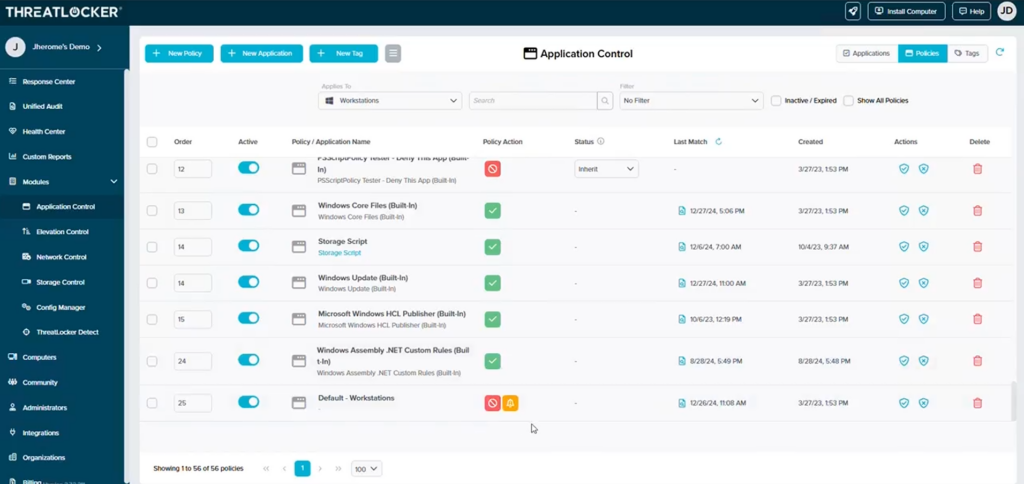
ThreatLocker is a zero-trust, default-deny application control and allowlisting platform. It gives companies the tools to implement a true zero trust policy. By default, all applications are blocked, unless the administrator actively approves them.
This approach massively reduces the attack surface, since it’s much harder for attackers or users to download and run malicious files.
The core product is made up of the following modules:
- Application Allowlisting: Lets you list which tools can be used and how. Anything not on the list is blocked.
- Ringfencing™: Contains what the apps you’ve allowed can do – including opening files, accessing the network, or opening other apps. This helps prevent lateral movement if an attacker gets access to an app or device.
- Storage Control: Gives you granular tools to set USB, share, and folder policies.
- Privileged Access Management (PAM): ThreatLocker’s approach allows you to set PAM policies at the application level.
- Endpoint firewall: A form of EDR. Lets you enforce access policies at the device level.
ThreatLocker pricing
You pay a per-endpoint, per-month subscription – approximately $2 to $5 per endpoint per month depending on bundle and volume.
ThreatLocker does not publish price lists – these estimates are gathered from third-party websites, forums and market knowledge.
Key strengths for MSPs
ThreatLocker’s stand-out features include:
- Strong, fine-grained application allowlisting with flexible custom policy creation. This is well regarded in the industry.
- ThreatLocker offers a really hands-on control model – it’s manual, but many MSPs appreciate the level of granular control it gives them
- Pricing starts low – various online estimates put this as low as $2 per endpoint at scale.
Key limitations for MSPs
ThreatLocker has a few important drawbacks:
- Relatively limited tooling. It is now building out new capabilities, but its main strengths are primarily its application allowlisting software and Ringfencing™ security product. Most MSPs need more tools. You therefore need to source these from different vendors.
- ThreatLocker requires a manual, intensive approach to management and control. That can end up consuming a lot of time and resources as you deal with endless support tickets from over-blocking. It’s also very tricky to deal with if your MSP business has clients in multiple time zones.
- During rollout, there’s often quite a bit of friction while the tools are in learning mode. You then need to repeat this process for each new client you onboard.
- For MSPs, you really need to educate customers about why so many apps and tools are being blocked. It can cause a lot of friction in the business relationship.
2. Heimdal
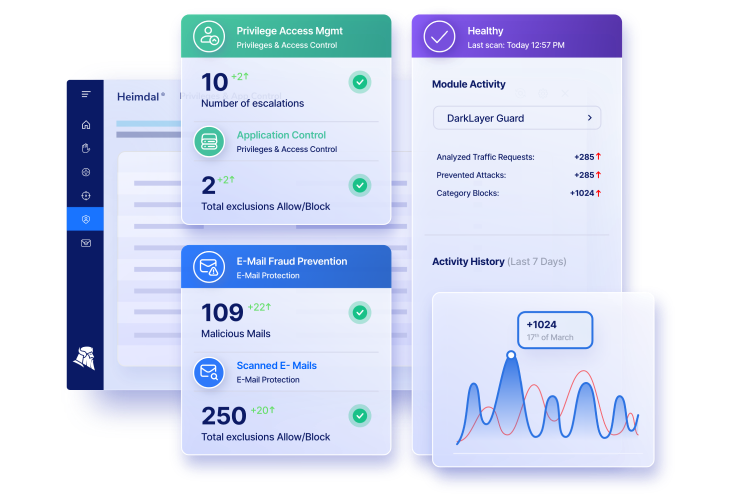
Heimdal is a unified cybersecurity platform which includes a full suite of tools. You can buy individual point solutions or a complete platform with multiple security products in one place (it’s also available as a managed service).
Heimdal’s wider product suite includes a couple of tools that offer very similar functionality to Threatlocker. Here are the most relevant modules:
- Application Control – AppFencing™: This product allows you to control what individual apps can touch and do – it’s the same concept as ThreatLocker’s Ringfencing™. It also allows you to create allowlists and block anything that’s not authorized.
- PAM suite: Where Threatlocker’s PAM is mainly about elevation control, Heimdal includes PEDM and PASM modules for much more extensive access management. You get things like session recording, monitoring and credential vaults.
- Firewall: While ThreatLocker has a host and port firewall, Heimdal’s goes further with DNS layer network security too.
- Option to extend with more tools: Heimdal includes a suite of more than 10 award-winning cybersecurity products including everything from EDR to firewall to email security and more.
Heimdal pricing
As with most other brands on this list, Heimdal does not publish pricing online. However, you can use our self-service calculator. This will give you an estimate based on the tools you need and the number of seats or devices you manage.
Key strengths for MSPs
As one of the main ThreatLocker alternatives, Heimdal has a number of key strengths:
- Heimdal offers tools with very comparable application control, while also offering more extensive tooling (e.g. its PAM tooling is much more comprehensive than ThreatLocker’s).
- Broader, more mature tooling in other areas. While it’s true that ThreatLocker has developed tools for things like patch management or EDR, these are less mature than Heimdal’s products.
- You can access a full suite of cybersecurity tools from one provider. You can add additional tools to your platform and therefore build out your MSP’s offerings more easily and with a lower learning curve.
Key limitations for MSPs
Heimdal isn’t right for everyone in every situation:
- Heimdal may be more than you need. This is particularly the case for smaller MSPs with just a handful of clients. If you just need a pureplay ThreatLocker alternative, other providers might be more suitable.
- We are not a full remote monitoring and management provider (although we can connect with your existing RMM solution or you can use our remote desktop module).
3. Airlock Digital
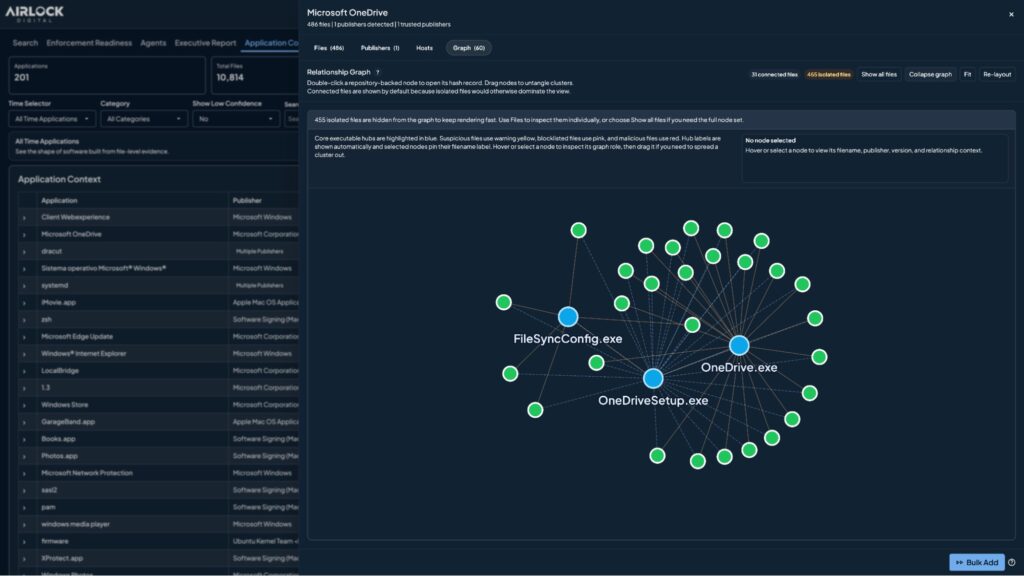
Airlock Digital is a pure-play allowlisting specialist. If you’re just looking for a direct ThreatLocker alternative that can help you create secure allowlists, then this is the way to go.
Its core modules include:
- Deny by Default: It lets you apply deny by default principles across all the endpoints your MSP manages. Which allows you to enforce strict zero trust controls.
- Elevation Control: A fairly basic but effective PAM solution.
- Blocklisting: This is a slightly confusing name and different to ‘traditional’ blocklists. With Airlock, it is mainly a form of application ringfencing, although it needs to be manually enforced. It allows you to set controls over what certain apps can do (e.g. block Microsoft Office from calling Powershell).
Airlock Digital pricing
Again, Airlock Digital does not publish pricing online, but various online sources suggest you can expect to pay $3 – $5 per endpoint per month.
Key strengths for MSPs
As a direct ThreatLocker competitor, Airlock Digital has a few key advantages:
- It’s more specialized. You get a more configurable tool that also allows for more streamlined allowlisting.
- Airlock Digital is particularly focused on regulated industries. So, if your MSP works with sectors like finance or healthcare, it could be a good option.
- It is also strong on securing legacy systems. If your MSP’s customers run older infrastructure, Airlock can apply policies to those systems too.
Key limitations for MSPs
Airlock Digital has some drawbacks to be aware of:
- It’s mainly enterprise-focused, so might not be suitable for smaller MSPs or those that work with SMBs.
- Many users find the user interface is complex and not very user friendly.
- You don’t get anything else. If you need more than just allowlisting and ringfencing, then you will need to invest in point solutions from other suppliers.
4. Ivanti Application Control
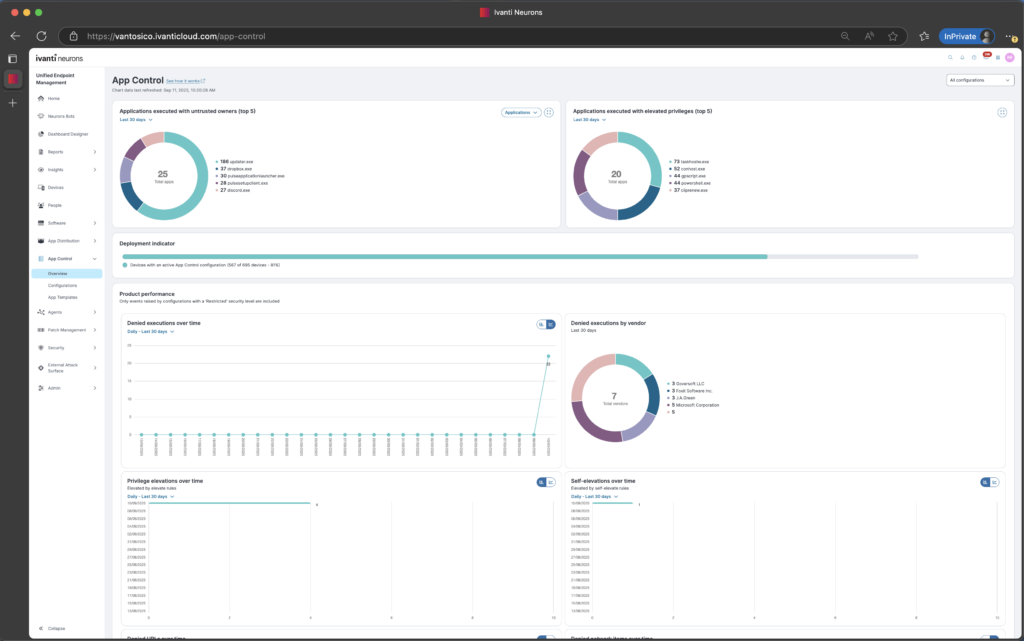
Ivanti’s approach to application control is slightly different to other companies’. Users are only allowed to use an app if the owner (that is, the person who installed it originally) is an official administrator.
This approach saves admins from needing to create long lists of permitted apps – people can only access what you’ve installed yourself.
Ivanti Application Control’s core features include:
- Control based on ownership: If IT admin installs apps, code or anything else, this is trusted. Unless exceptions are explicitly given, no one else can install apps.
- Privilege management: There is also a privilege management module – users can request extra privileges and these can be controlled centrally.
- Wider platform: As with Heimdal, Ivanti offers a wider platform of security products. You can purchase Application Control as a standalone product or as part of the Ivanti Neurons platform.
Ivanti Application Control pricing
Once again, pricing isn’t published for Application Control online. You will usually pay a base fee for Ivanti Neurons, then an annual fee for modules such as Application Control. Some sources suggest this would be around $6 per user, per month.
Key strengths for MSPs
MSPs choose Ivanti for a few reasons:
- The big advantage is the ‘trusted ownership’ model. You don’t have to maintain endless allowlists for all your customers’ accounts. Instead, you install apps you trust and this is all your customers can use.
- It offers a flexible way of managing privileges and end user admin rights – elevating them temporarily when people make requests.
- It’s well-suited to large enterprises running on Windows
Key limitations for MSPs
Application Control does come with some limitations however:
- It only offers application control for Windows OS. If your current or future customers use other systems, then it’s much less suitable.
- It can be tricky to install, deploy and operate.
- Some online reviewers have complained about customer support.
5. ManageEngine Application Control Plus
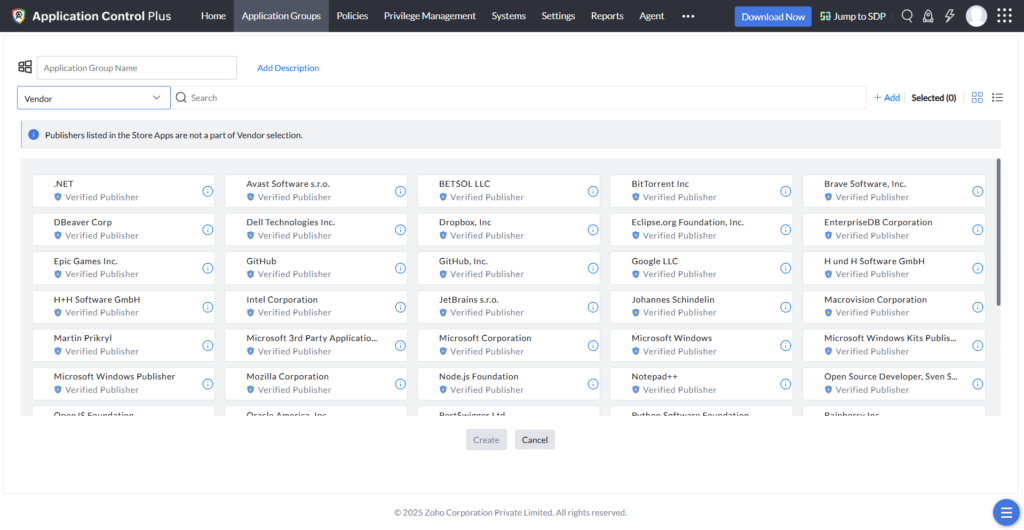
Part of ManageEngine’s wider suite of endpoint products, Application Control Plus gives you a good ThreatLocker alternative. It’s also available to buy on its own. Key features of the module include:
- Application allowlisting: Lets you set rules that allow apps from trusted vendors, file hashes and folder paths.
- Application blocklisting: Lets you create block lists of software that cannot be installed. This can complement your allowlisting policy.
- Just in time access: This feature lets you give users temporary privileges for a set period of time.
ManageEngine Application Control Plus pricing
There is a free version of the product that’s available for up to 25 devices. You can use it to test if it’s right for your MSP. Once you commit, you’ll be paying $6 per endpoint per year.
Key strengths for MSPs
There are a few key reasons that MSPs use Application Control Plus:
- It sits within the wider ManageEngine product suite. This gives you access to several other powerful tools.
- The just in time privilege elevation approach is very helpful and automates access management.
- ManageEngine offers a solid RRM solution that can make life easier for MSPs.
Key limitations for MSPs
The system does have some drawbacks too:
- It’s pretty Windows-heavy, so it’s less suitable if your customers rely on other OS’.
- The UI and navigation are sometimes criticised for their legacy design and confusing nav.
- As with Ivanti, some reviewers say customer support is inconsistent
6. Broadcom Carbon Black App Control
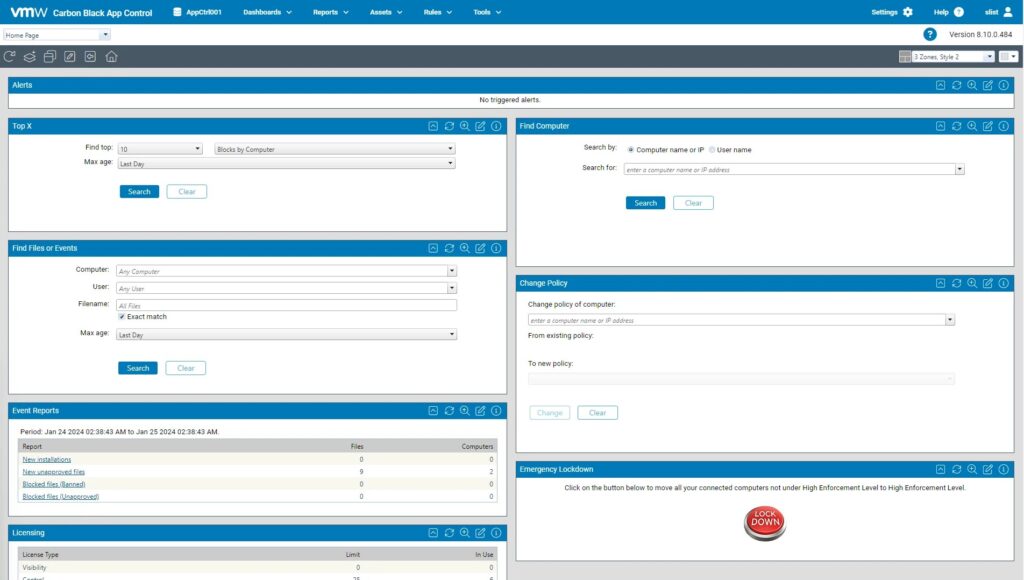
Like ThreatLocker, Broadcom’s Carbon Black App Control allows you to approve certain kinds of software and block anything else. It comes with a couple of unique features:
- Works on diverse systems: As well as cloud and standard on-prem servers, it can also manage app control on legacy systems, airlocked systems, ATMs, POS terminals and medical devices.
- Trusted publishers: You can also identify trusted software vendors whose apps will always be approved (such as Microsoft, Google or Adobe).
Broadcom Carbon Black App Control pricing
Broadcom does not publish a list price for Carbon Black App Control, but various online sources indicate it costs between $30 and $40 per device, per year.
Key strengths for MSPs
MSPs choose Carbon Black App Control for the following reasons:
- Since it lets you control things like ATMs or POS terminals, it’s a really good option if you have clients in industries like banking or retail.
- It’s also a good option for regulated industries like healthcare.
Key limitations for MSPs
Carbon Black App Control does have some drawbacks to be aware of:
- It is resource intensive and uses a lot of CPU – this can slow down protected endpoints.
- It is relatively expensive, making it less suitable for MSPs servicing smaller organizations.
CrowdStrike Falcon
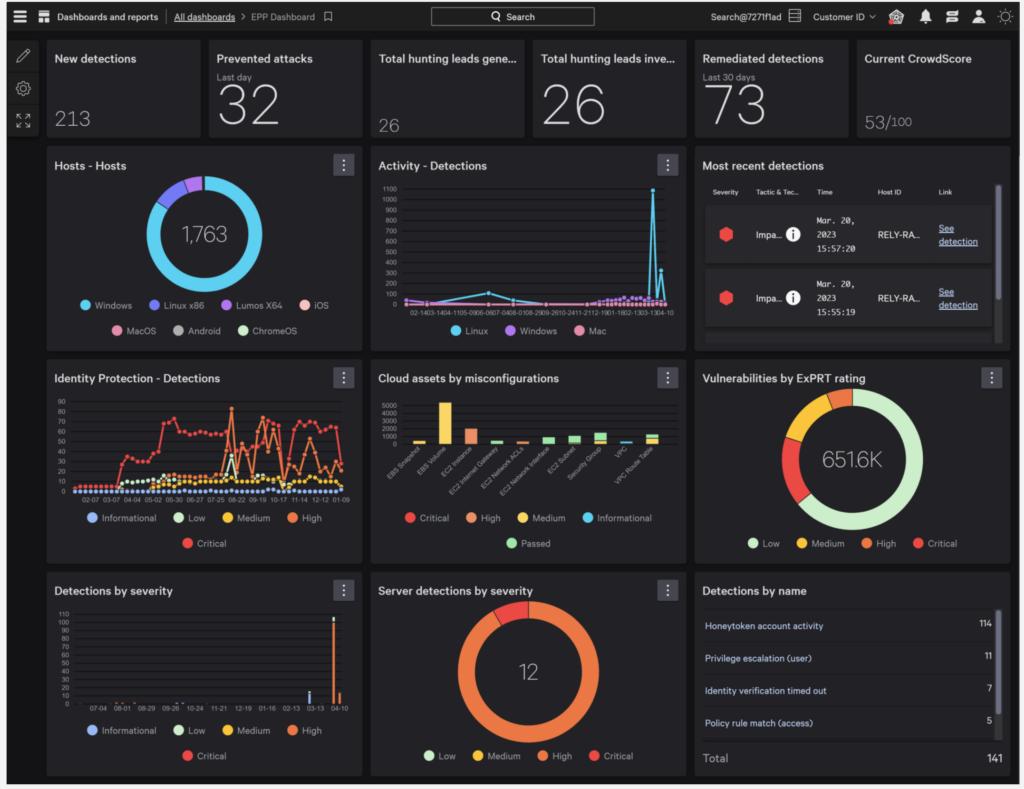
Although CrowdStrike is not a direct ThreatLocker competitor, I’ve included it in this list because it offers an alternative approach for MSPs. If your business is evolving and you’re looking to offer more comprehensive services than ‘just’ allowlisting, it could be a good option.
CrowdStrike Falcon is primarily an EDR/XDR platform with a powerful AI detection engine underneath. But it does also offer some similar zero trust features to ThreatLocker, including:
- Binary, hash and path blocking
- A script interpreter control
- Device control
These tools don’t offer full default-deny allowlisting or ThreatLocker-grade ringfencing. For some MSPs this might be appealing – if you’re looking for ThreatLocker alternatives, it’s likely because you’re fed up with the friction this causes. But you can also use the two platforms side by side.
CrowdStrike Falcon pricing
Falcon Go is around $60 per device per year, Pro around $100 per device per year, Enterprise around $185 per device per year. MSP and reseller negotiated pricing typically runs lower, roughly $8 to $20 per endpoint per month for Pro-class tiers at scale. Falcon Complete is quote-based and materially higher.
Key strengths for MSPs
There are several key features that make it appealing:
- It’s well set up for MSPs, with a solid multi-tenant program
- It also gives MSPs some really useful tools, including RBAC and API access for RMM/PSA integration
- It is, overall, a much more comprehensive platform so can be a step up that lets your MSP offer more
Key limitations for MSPs
CrowdStrike Falcon does have some limits though:
- It is significantly more expensive per endpoint per month
- You don’t get default block lists or allowlists
- It’s primarily targeted at enterprises and there are seat minimums – so might not be suitable if you service smaller customers
Choose the right ThreatLocker alternative for your situation
There are several strong ThreatLocker competitors and alternatives out there. As I’ve seen, many of them offer similar ringfencing and application allowlisting software, but with a different emphasis. Some give you a much simpler, pureplay option. Others, particularly CrowdStrike, give your MSP a different approach to security. And others, like Heimdal, give you very similar tools, but additional products as well.
Deciding on which alternative to ThreatLocker is right for your business will ultimately depend on you – your goals, your budget and the market you serve. By getting to know some of the key ThreatLocker alternatives, you can start your journey to finding a platform that better meets your needs.
Frequently Asked Questions
Who competes with ThreatLocker?
Some of the most direct ThreatLocker competitors include:
- Heimdal (AppFencing™ and Application Control compete with ThreatLocker’s Ringfencing™ and Allowlisting)
- Airlock Digital (they have strong allowlist and blocklist products)
- ManageEngine (their Application Control Plus is a strong app allowlisting tool)
What are some alternatives to ThreatLocker?
ThreatLocker alternatives fall into three categories.
First are pureplay competitors – this includes companies like Airlock Digital whose tools are more specialized than ThreatLocker and who just focus on allowlists.
The second category are firms that offer comparable products but with a different approach. For example, Heimdal offers very similar app ringfencing tools, but also offers these as part of a wider suite of security solutions.
The final category are firms like CrowdStrike. They don’t offer the exact same tools (they don’t have a pureplay allowlisting product). Instead, they offer a powerful EDR that provides a different approach to cybersecurity. This means seeking out suspicious activity on endpoints, rather than just blocking unsanctioned apps.
What are the top 5 EDR tools?
There are several cybersecurity companies that produce high quality, reliable and effective EDR tools. These include:
- Heimdal EDR
- CrowdStrike Falcon
- Microsoft Defender for Endpoint
- SentinelOne
- Huntress
Deciding which of these is right for you depends very much on your business’s situation, technical requirements, market and budget.
Is ThreatLocker an EDR or XDR?
ThreatLocker is not primarily an EDR or an XDR provider, although it does have an EDR tool. Rather, it is mainly an application allowlisting software provider.
Its technology lets you create lists of apps that are approved, and then blocks anything else from being installed on your systems.
How does ThreatLocker compare to CrowdStrike?
ThreatLocker and CrowdStrike are both cybersecurity companies whose tools are well regarded. However, while there is certainly some overlap in what they do, they mainly offer quite different products.
CrowdStrike is primarily a provider of endpoint detection and response (EDR) tools.These monitor all the devices on your network to identify suspicious activity. By contrast, ThreatLocker is primarily an allowlisting solution.
The technology lets you create lists of approved, trusted apps that your users can download and run. Anything that’s not on the allowlist is blocked by default. This prevents people from downloading and installing risky apps or code.
What factors should be considered when choosing a ThreatLocker alternative?
When you’re camparing ThreatLocker alternatives, there are a few key things to think about.
First, decide if you want a like-for-like alternative (such as Airlock Digital), or you want an allowlisting and ringfencing tool that’s part of a bigger platform (like Heimdal).
Next, consider your budget – how many seats will you be monitoring? How much can you (or your MSP’s customers) afford?
You should also think about your market and regulatory issues. For instance, some vendors’ tools are better suited to certain industries, or data regulations means you’ll want a provider with a base in specific geographies. You also want to consider the learning curve, ease of use and customer support. Check reviews and see which vendors have a good reputation.
If you liked this article, follow us on LinkedIn, Reddit, X, Facebook, and Youtube.


