


 Network Security
 Vulnerability Management
 Privileged Access Management
  Endpoint Security
 Threat Hunting
 Unified Endpoint Management
 Email & Collaboration Security


What you’ll find here is An honest comparison of leading PAM tools that secure privileged accounts, control admin access, and protect credentials across hybrid environments.
This guide helps mid-market IT and security teams shortlist the right privileged access management software without wading through vendor marketing.
If you run IT or security in the mid-market, privileged access is one of those problems you can ignore… right up until you can’t.
- Someone has local admin “temporarily” (for the last 18 months)
- A shared password exists because the service can’t go down
- A vendor needs access “for five minutes”
- An auditor asks: “Who has admin rights, and how do you prove it?”
PAM solutions reduce that risk by controlling privileged credentials, monitoring privileged sessions, and enforcing least privilege policies.
But some PAM tools can also slow teams down or create gaps if they’re poorly implemented.
This guide is written for mid-market IT and security teams who want a practical way to compare PAM platforms.
See the shortlist before the full breakdown
If you want the quick version first, here are the 12 leading PAM platforms in 2026 and what they actually do best:
Heimdal – Unified privilege control across endpoints and credentials without a heavy enterprise stack
CyberArk – Mature, enterprise-focused platform with deep vaulting and session control for regulated environments
BeyondTrust – Strong in complex infrastructures, particularly UNIX/Linux support and secure remote access
Delinea (Secret Server) – Solid usability and strong Unix/Linux privilege management
ManageEngine PAM360 – Cost-conscious PAM software with strong discovery capabilities
Microsoft Entra ID – Identity-first access control for Microsoft-heavy environments
Okta Privileged Access – Cloud-native PAM for teams already in the Okta ecosystem
JumpCloud – Directory and IAM platform with PAM-adjacent capabilities for lean teams
WALLIX Bastion – Privileged session management with strong monitoring (EMEA focus)
miniOrange PAM – Flexible and cost-effective across hybrid environments
ARCON PAM – Strong password vaulting and audit trails (APAC/EMEA markets)
One Identity Safeguard – PAM tied to identity governance workflows
What is Privileged Access Management (PAM)?
Privileged access management secures, monitors, and controls access to your most sensitive systems.
PAM tools protect privileged accounts (domain admins, root users, service accounts) that can bypass normal security controls and access critical data.
Modern PAM software does four things:
- Vaults credentials – Stores and rotates passwords, SSH keys, and API tokens so admins never see or share them
- Enforces least privilege – Grants just-in-time access that expires automatically, eliminating standing privileges
- Records sessions – Monitors and logs everything admins do during privileged sessions for audit and compliance
- Controls elevation – Manages when and how users can escalate to admin rights on endpoints
Without PAM, privileged credentials become your biggest security risk. A single compromised admin password can lead to a full breach.
Key terms: What PAM vendors actually mean
Vendors aren’t consistent about naming features, which makes comparisons painful.
Here are the terms you’ll see most often:
PASM (Privileged Account & Session Management): The core PAM feature set—policies and controls for access, credentials, and privileged sessions.
PEDM (Privilege Elevation & Delegation Management): Controls just-in-time / time-bound elevation to prevent privilege creep and standing privileges.
Secrets Management: Secure storage and password rotation for credentials, keys, and API tokens.
CIEM (Cloud Infrastructure Entitlements Management): Visibility and access control for cloud entitlements and privileged identities.
Most vendors bundle traditional PASM in a core product, then sell PEDM/secrets management/CIEM as add-ons or separate modules.
The total cost and complexity rise fast.
How to choose the right PAM solution
Don’t treat this like a beauty contest.
Start with two questions:
- Where is your biggest privilege risk today? Endpoints? Shared admin accounts? Vendor access? Cloud roles?
- How much operational overhead can you tolerate? Some PAM platforms require dedicated staff.
Each vendor below includes:
- Best for (plain-English fit)
- Why teams pick it (real strengths)
- Watch-outs (honest pain points)
- Pricing (when available)
Best PAM tools on the market
Heimdal - Unified control without a giant PAM project
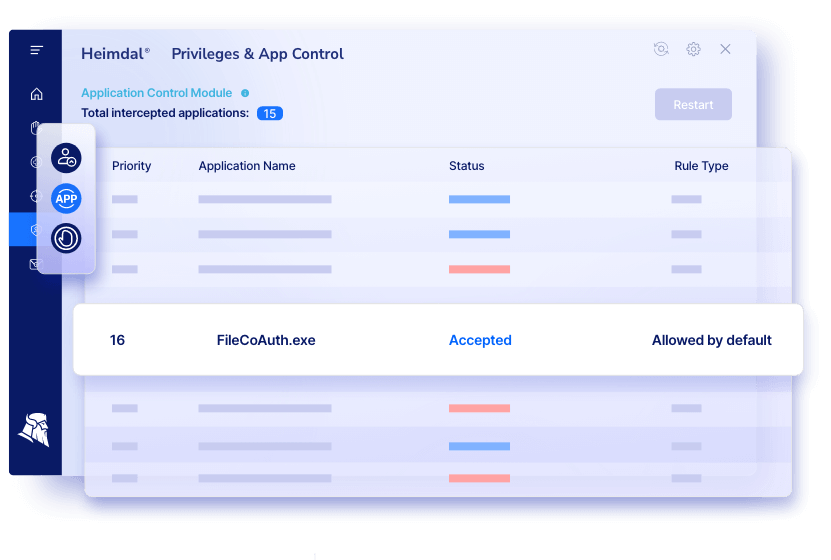
Best for: Mid-market teams who want PAM + application control + endpoint privilege management in one access management platform.
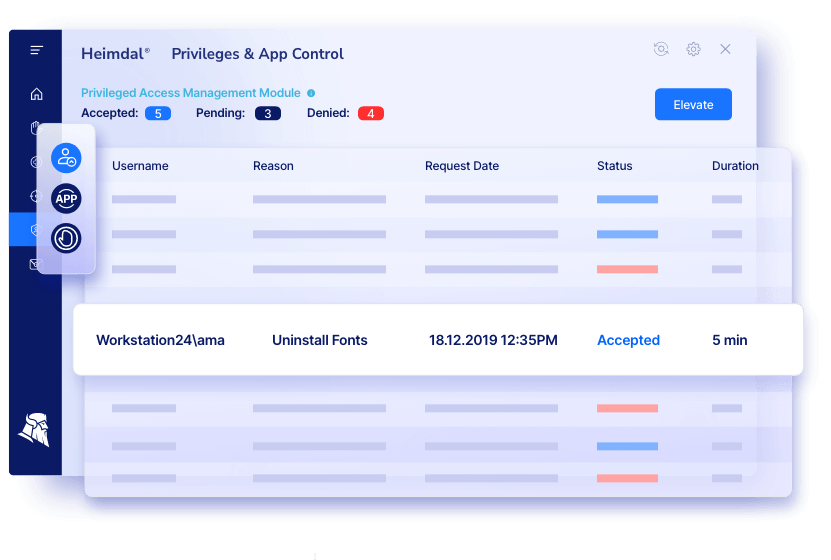
Why teams pick it: Heimdal’s PAM combines access management, privileged account and session management, and application control with emphasis on least privilege and JIT access.
Notable capabilities:
- Role-based privilege management (principle of least privilege)
- Just-in-time elevation with time-bound access
- Credential vault for password management
- Reporting and audit compliance support (Cyber Essentials, NIS2, HIPAA, PCI-DSS, ISO 27001)
- Threat-responsive rights management (auto de-escalation when paired with Heimdal’s Next-Gen AV)
Watch-outs: Initial deployment and policy configuration can take time in larger environments.
Some users note a learning curve when setting up granular privilege rules.
Pricing: Get your Heimdal pricing from this calculator
JumpCloud Directory Platform - "Good enough" PAM + directory
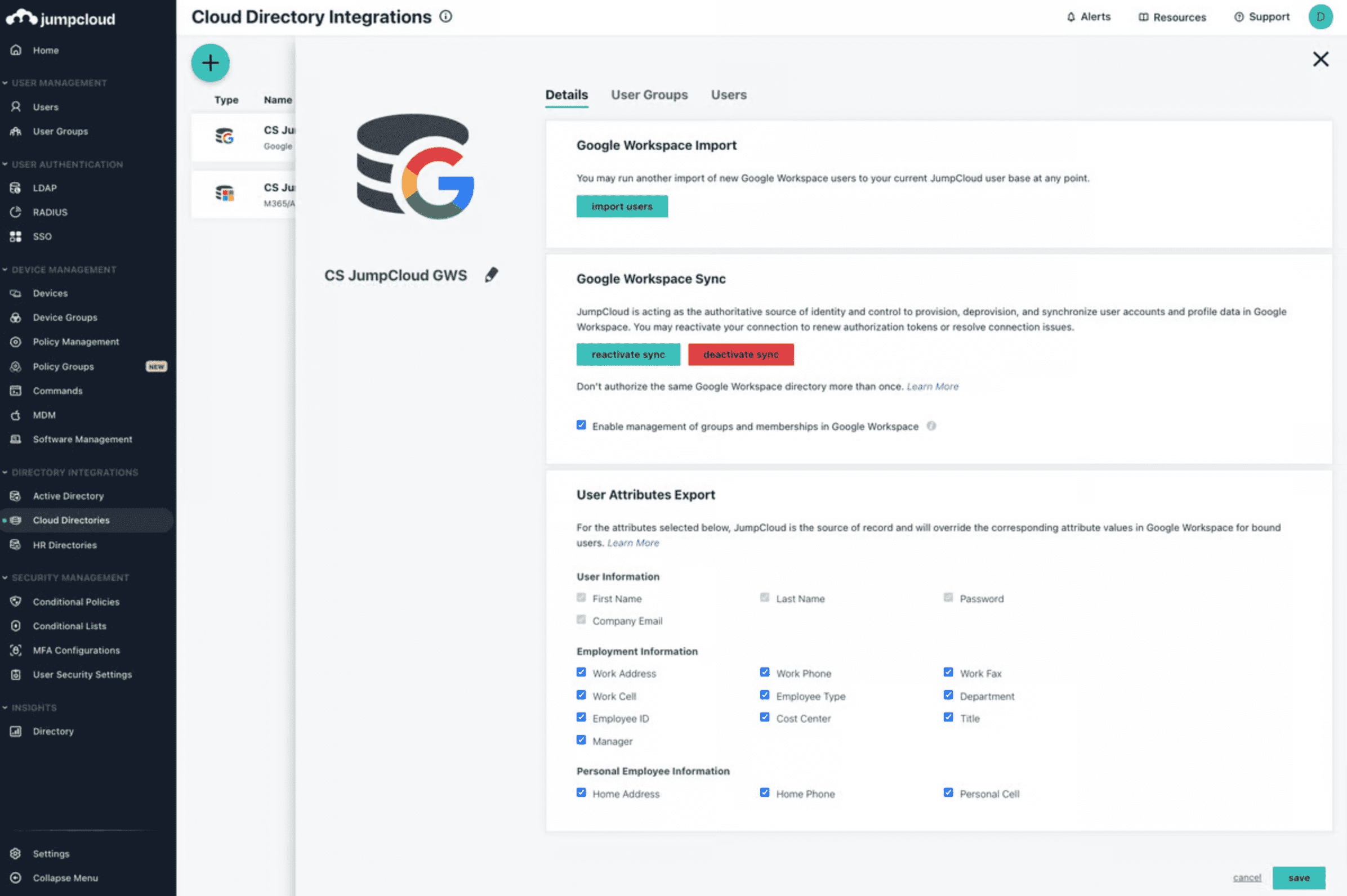
Best for: Mid-market orgs that want IAM + device/user management with PAM-adjacent controls in a single platform.
Why teams pick it: Strong SSO/IAM experience and easy user/device management; often praised for usability.
Watch-outs: Limited Mac MDM depth and sparse technical documentation. Some users want better tracking, auditing, and reporting.
Pricing: Individual features $2–5/user/month; core directory $11/user/month; higher tier $18/user/month (billed annually). Free trial supports up to 10 users/devices.
CyberArk Privileged Access Manager – Enterprise-grade but complex
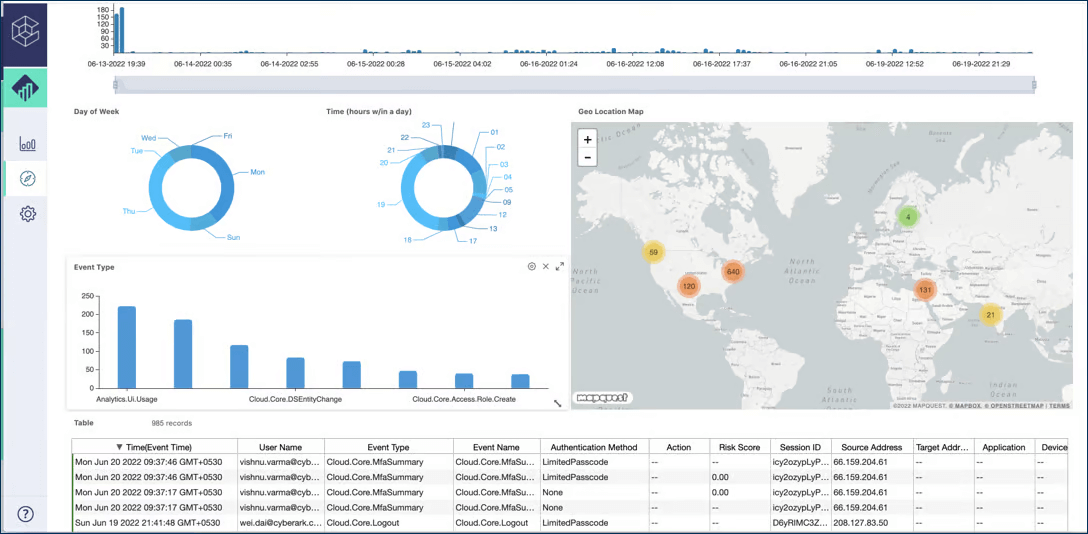
Best for: Large organizations that need comprehensive PAM coverage (vaulting, secrets, CIEM) and can handle complexity.
Why teams pick it: Mature PAM platform with broad features and large ecosystem. Includes JIT access, behavioral analytics, and deep integration options.
Strong for compliance in regulated industries.
Watch-outs: Steep learning curve. Management overhead includes complex upgrades and overlapping products.
Legacy privileged session management capabilities lag newer competitors. Pricing consistently ranks among the most expensive (~22% above market average).
Pricing: Not publicly published; contact sales.
ManageEngine PAM360 - Budget-friendly with discovery
Best for: Mid-market teams that need privileged account discovery without premium pricing.
Why teams pick it: Strong discovery identifies privileged users and service accounts across systems. Pricing generally below market average. Works well if you already use other ManageEngine tools.
Watch-outs: Full session management requires resource-heavy HTML5 browser emulation. PEDM functionality less extensive than competitors.
Pricing: Not publicly published; request quote.
miniOrange Privileged Access Management (PAM)

Best for: Organizations wanting broad PAM features and flexible deployment across cloud/on-prem/hybrid environments.
Why teams pick it: Includes JIT access, session monitoring, MFA, password rotation, and integrations with SIEM/IAM/ITSM. Often positioned as cost-effective.
Watch-outs: Advanced features require higher licensing tiers. Complex customization may need implementation support. PEDM and secrets management lag market leaders.
Pricing: Per-user licensing; monthly, quarterly, or annual billing.
BeyondTrust Total PASM - Strong for Unix/Linux environments
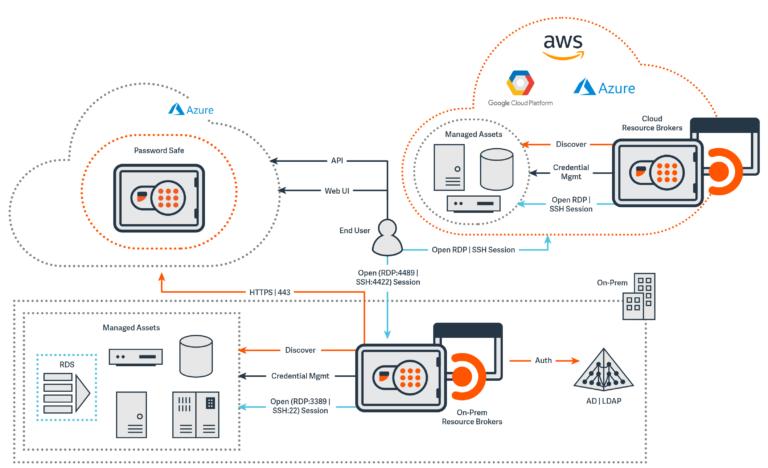
Best for: Enterprise teams with complex needs, especially where UNIX/Linux support and secure remote access matter.
Why teams pick it: Global reach, best-in-class UNIX/Linux support, and strong discovery capabilities. Privileged Remote Access module simplifies third-party access.
Watch-outs: Multiple separate products increase complexity and cost. SSO, MFA, and full PEDM require additional modules beyond the “Total PASM” bundle. Premium pricing tier.
Pricing: Not publicly published.
Okta Privileged Access - For cloud-native teams in the Okta ecosystem
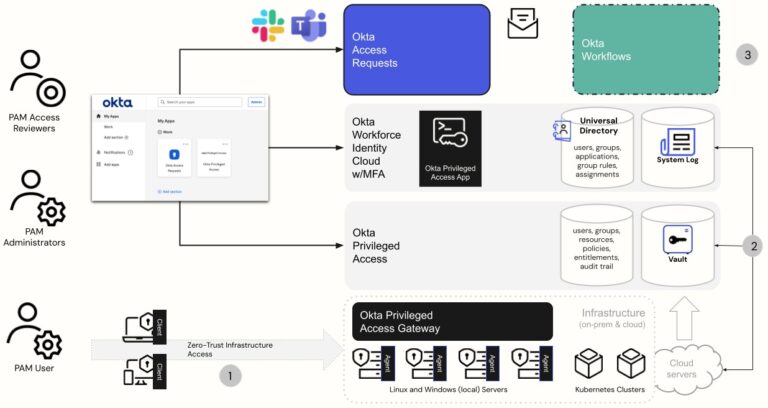
Best for: Cloud-native organizations using Okta who want to extend identity and access management into privileged access.
Why teams pick it: Tight integration with Okta Workforce Identity Cloud. Automated onboarding/offboarding workflows. Cloud-native architecture.
Watch-outs: Audit and compliance capabilities weaker than dedicated PAM tools. Resource-based pricing ($14/resource unit/month) is hard to calculate. No individual-level access policies—only group/team based.
Pricing: ~$14 per resource unit/month.
Microsoft Entra ID - Baseline access control for Microsoft shops
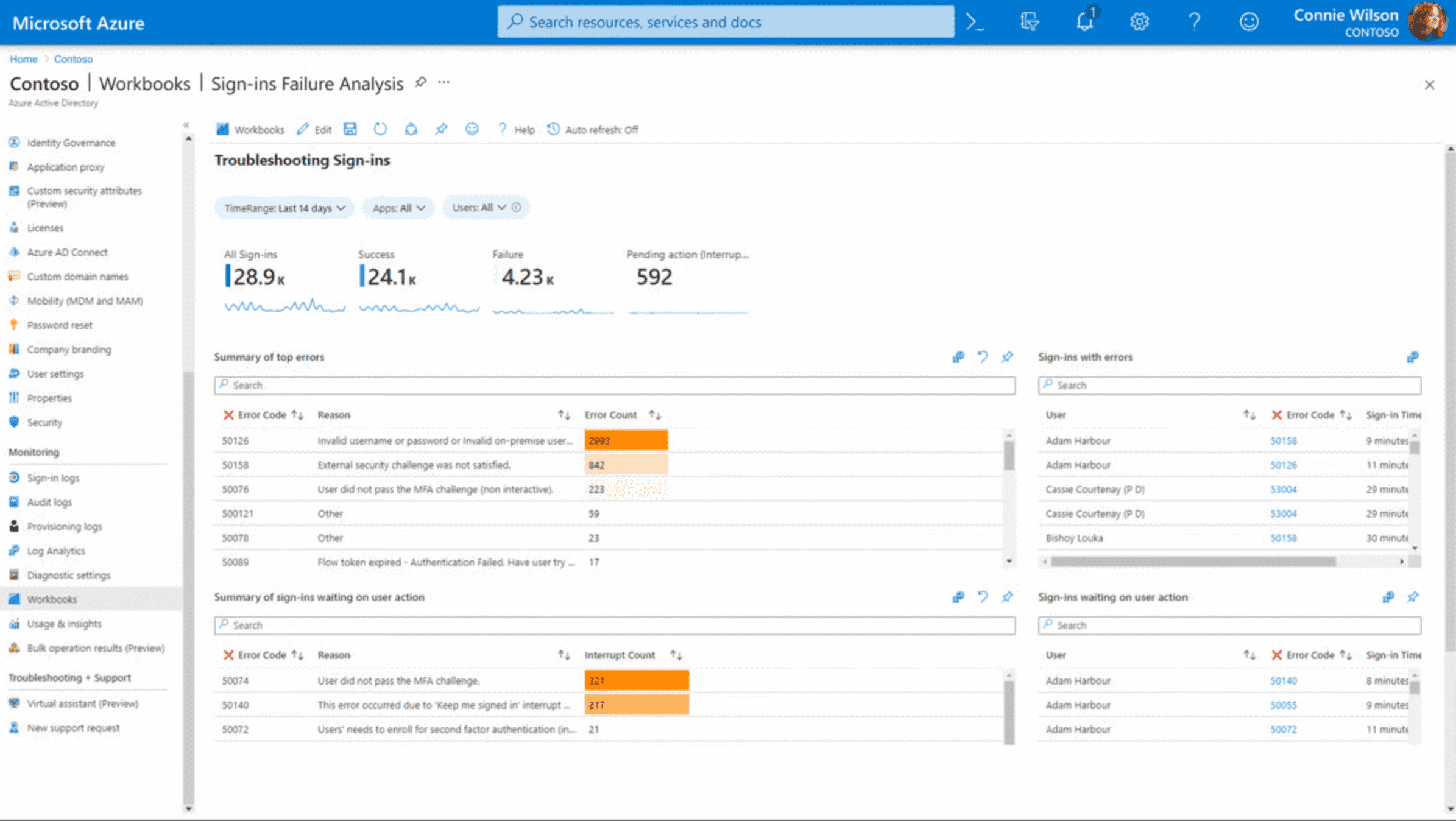
Best for: Organizations deep in Microsoft 365/Windows/Azure needing baseline identity security and access control.
Why teams pick it: Native integration with Microsoft stack. Free tier available. Conditional access policies, MFA, and password management included.
Watch-outs: Feature tiers confusing (what’s in Free vs P1 vs P2 vs Governance add-on?). UI less intuitive than third-party competitors. Limited value for non-Microsoft environments.
Pricing: Free tier; P1 $6/user/month; P2 $9/user/month; Governance add-on $7/user/month.
WALLIX Bastion – Session-focused PAM with EMEA strength
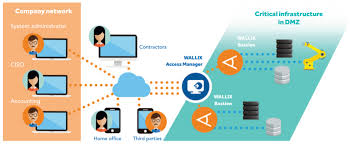
Best for: Organizations prioritizing privileged session management features and ease of use.
Why teams pick it: Comprehensive session monitoring and audit capabilities. Intuitive UI. Multiple licensing models (perpetual, annual, on-demand). Available through AWS, Azure, GCP marketplaces.
Watch-outs: Limited password rotation for machine/service accounts. No CIEM/cloud discovery functionality. Customer base primarily EMEA – limited global presence.
Pricing: Not publicly published; multiple licensing models available.
Delinea Secret Server – Strong Unix/Linux with good UX
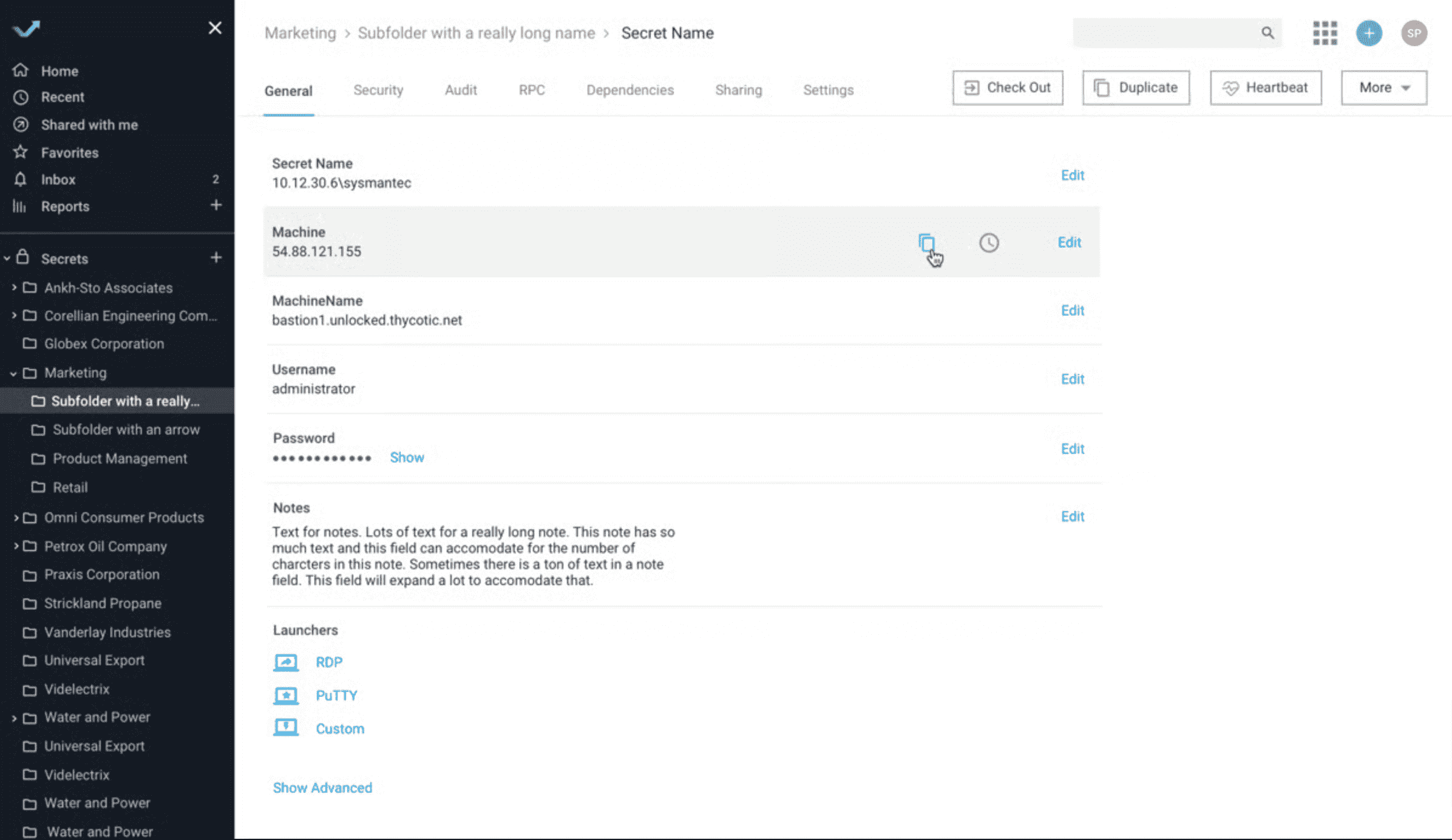
Best for: Teams wanting solid user experience and strong Unix/Linux PEDM, willing to navigate multiple modules.
Why teams pick it: Best-in-class Unix/Linux privilege elevation and delegation. Smooth user experience frequently cited in user reviews. Cloud and on-prem deployment options.
Watch-outs: Overlapping products create confusion and cost creep. CIEM and RDP session management require additional tools. Service account management less mature than competitors. Premium pricing (~26% above market average).
Pricing: Not publicly published; contact sales.
ARCON PAM – Password vaulting for APAC/EMEA
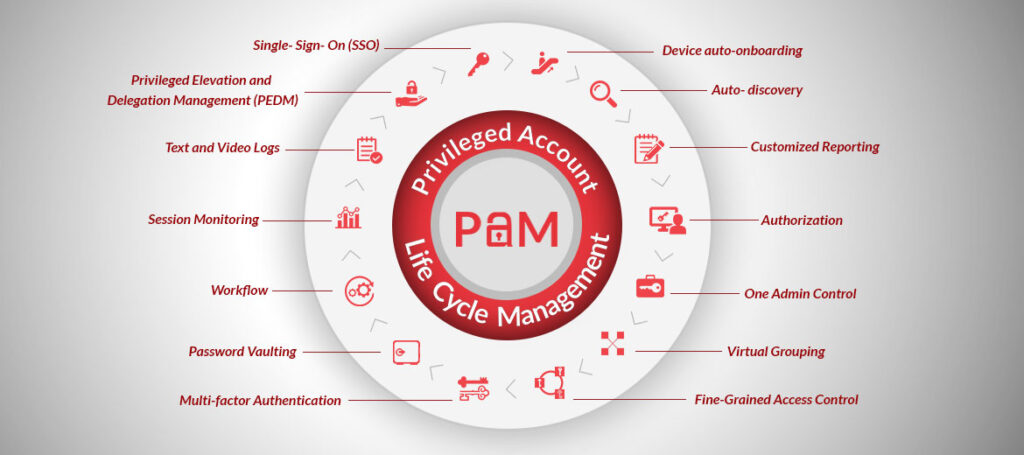
Best for: Organizations prioritizing password vault strength and detailed audit trails, especially in Asia-Pacific and EMEA regions.
Why teams pick it: Sophisticated password vault with frequent credential rotation. Detailed audit trails and analytics. Competitive pricing.
Watch-outs: UI cited as less intuitive than competitors. Customer base primarily APAC/EMEA. Multiple products (PAM Enterprise, EPM, My Vault, Global Remote Access) create confusion.
Pricing: Not publicly published; considered “competitive” by analysts.
One Identity Safeguard - PAM tied to identity governance
Best for: Medium-to-large organizations wanting PAM integrated with broader identity management workflows.
Why teams pick it: Unified identity security platform vision. Strong privileged session management and least privilege enforcement. Dedicated customer success managers.
Watch-outs: No native CIEM capability. JIT access and governance require additional modules (Active Roles, IGA). Multiple products increase complexity and cost.
Pricing: Not publicly published; subscription-based.
What matters most when you evaluate privileged access management
Skip the feature bingo. Focus on outcomes:
Must-have outcomes:
- Remove standing admin rights where technically possible
- Record and audit privileged sessions
- Vault and rotate privileged credentials
- Prove “who did what” to auditors
Operational reality check:
- If you don’t have staff to run it, don’t buy it
- If it doesn’t integrate with ticketing/change management/monitoring, people will bypass it
- If admins hate the UX, they’ll find workarounds
Integration test:
- Does it work with your directory (Active Directory, Azure AD, Okta)?
- Can it enforce your existing access workflows?
- Will it feed your SIEM or monitoring tools?
How PAM software helps you manage privileged access across environments
Modern PAM platforms handle privilege across three layers:
Credentials: Store passwords, SSH keys, and API tokens in an encrypted password vault. Automate credential rotation so humans never see or share privileged credentials.
Sessions: Proxy connections to privileged systems. Record every keystroke, command, and RDP session. Terminate sessions that violate access policies in real-time.
Elevation: Grant temporary access that expires automatically. Users request admin rights for specific tasks, get approved through existing workflows, and lose privileges when the job completes.
This approach protects privileged accounts without blocking legitimate work.
Security teams get visibility. Admins get access when they need it. Auditors get proof of compliance.
The difference between PAM and IAM
PAM focuses specifically on securing and monitoring privileged accounts with elevated access to critical systems.
IAM manages broader user authentication, identity lifecycle, and access policies across the organization.
Think of it this way.
IAM controls who can log in. PAM controls what they can do with admin rights after they log in.
Most organizations use both. IAM provisions user accounts and enforces authentication policies.
PAM adds an extra security layer for privileged credentials that could cause a data security breach.
Key takeaways: Choosing the best PAM solution for your team
- Start with your biggest risk: Endpoints, shared passwords, vendor access, or cloud roles. Pick a PAM tool built for that problem.
- Match operational capacity: If you have two IT staff, don’t buy a PAM suite that needs three dedicated admins.
- Prioritize integration: A PAM platform that doesn’t integrate with your existing tools will get bypassed.
- Watch total cost: Base licenses are often cheap. Add-ons for session monitoring, secrets management, and zero trust features multiply quickly.
- Test before committing: Run a free trial or POC with real admin workflows, not vendor demos.


